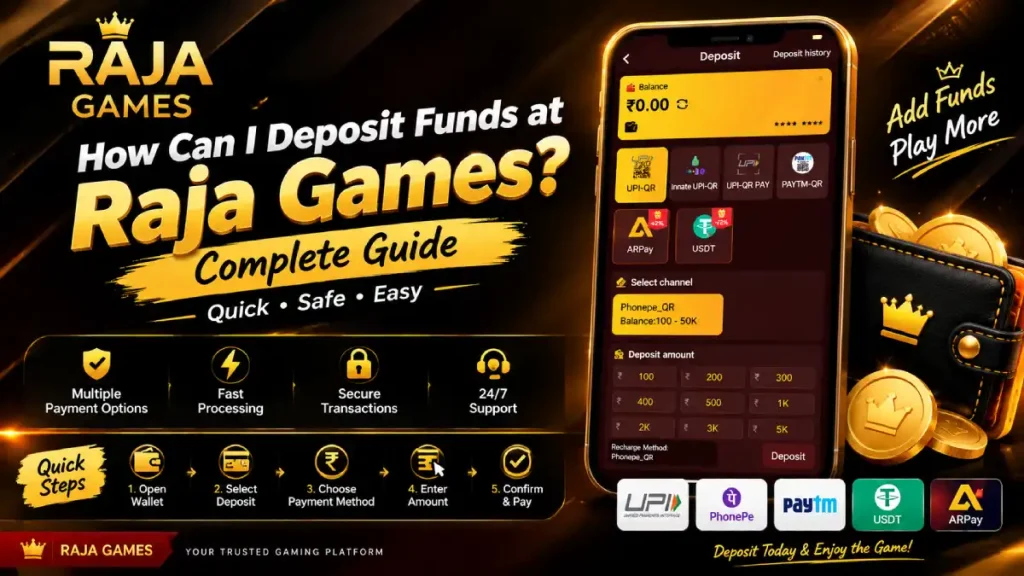
Adding funds to your account through the Raja Game deposit section is designed to be a straightforward process. The wallet interface shown in the supplied screenshots provides a dedicated Deposit option where users can select a payment channel, choose a deposit amount, and follow the instructions displayed for the selected method.
This guide explains the deposit process step by step and highlights the important details users should check before completing a transaction.
Important: Payment methods, minimum/maximum amounts, availability, fees and transaction requirements can change. Always follow the information displayed in your current Raja Games account.
What Is the Raja Game Deposit Section?
The Raja Game Wallet contains separate options for managing account funds, including Deposit, Withdraw, Deposit History and Withdrawal History.
To access the deposit section:
Login → Wallet → Deposit
Once you select Deposit, the platform displays the available payment channels for your account.
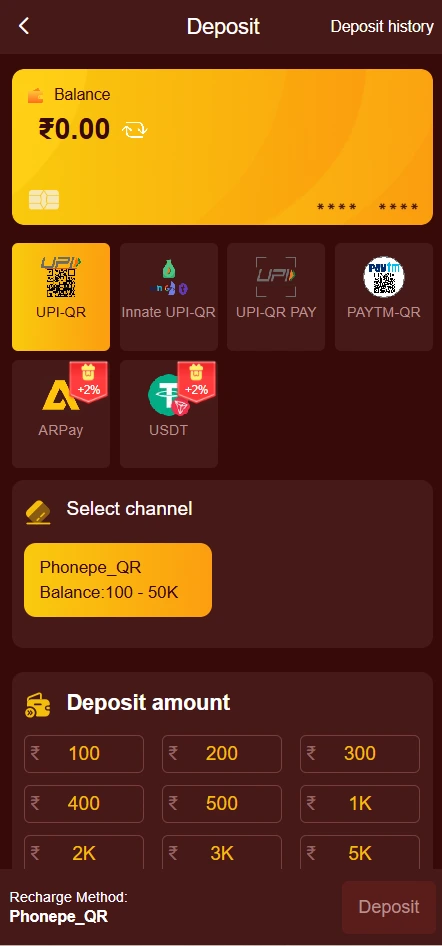
In the supplied interface, the displayed options include:
- UPI-QR
- Innate UPI-QR
- UPI-QR PAY
- PAYTM-QR
- ARPay
- USDT
Not every payment method necessarily appears for every user. Select only the option currently available in your account.
How Can I Deposit Funds at Raja Games?
Follow these steps to start a deposit.
Step 1: Log In to Your Account
Open the Raja Games platform and sign in using your registered account details.
After successful login, you can access the wallet from the main navigation menu.
Step 2: Open the Wallet
Select Wallet from the navigation bar.
The wallet dashboard provides an overview of your account balance and related wallet functions. You can also find options for deposits, withdrawals and transaction history.
Step 3: Select Deposit
Tap Deposit to open the recharge page.
The deposit screen shown in the supplied screenshot includes a balance card at the top followed by several available payment channels.
Step 4: Choose a Payment Method
Select the payment method you want to use from the available options.
The supplied screenshot shows UPI-QR selected and also displays options such as Paytm-QR, ARPay and USDT.
For Indian users, UPI-based options may be displayed depending on the account and current payment-channel availability.
Step 5: Select the Deposit Amount
After selecting your payment channel, choose the amount you want to deposit.
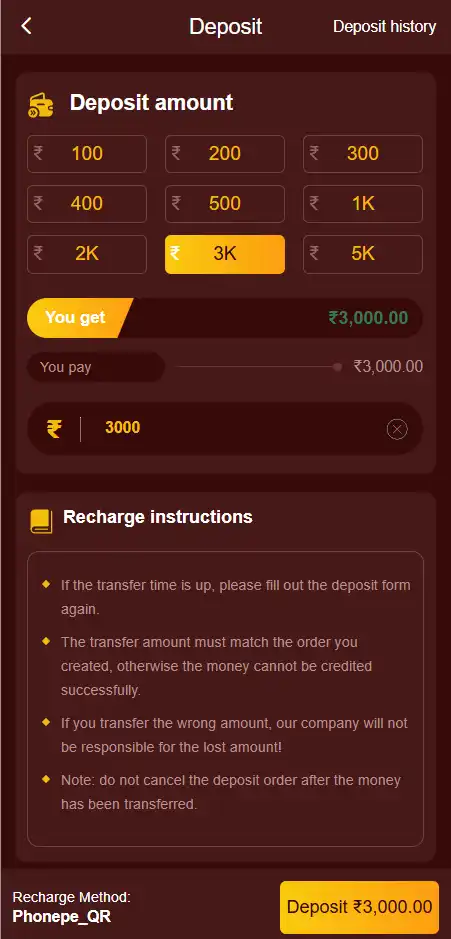
The supplied interface displays preset amounts such as:
- ₹100
- ₹200
- ₹300
- ₹400
- ₹500
- ₹1K
- ₹2K
- ₹3K
- ₹5K
These are the amounts visible in the provided interface and should not be considered permanent limits. Your current deposit page may show different options.
Step 6: Check the Selected Channel
The interface displays the selected recharge method at the bottom of the deposit section.
For example, the supplied screenshot shows Phonepe_QR as the selected recharge method.
Before making a payment, carefully check that the selected payment channel and displayed payment information match the transaction you intend to make.
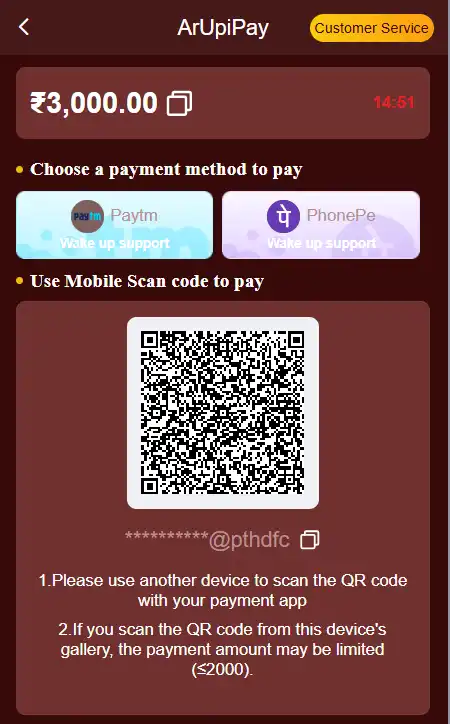
Step 7: Complete the Payment
Follow the payment instructions provided on the screen for your selected method.
After completing the payment, don’t immediately repeat the transaction if the balance hasn’t updated. First check your transaction status and Deposit History.
How to Check Your Deposit?
After completing a payment, you can use the Deposit History option available in the Wallet section.
This can help you review previous deposit transactions and identify whether a particular transaction has been recorded.
If the balance does not update immediately, keep your payment reference or transaction details available before contacting support.
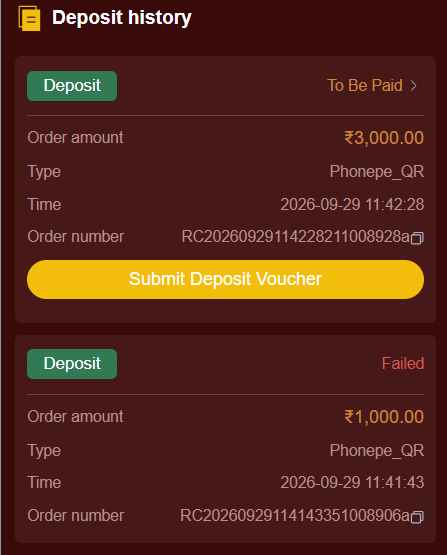
What If My Deposit Is Not Added?
A deposit may sometimes take time to reflect because of payment processing, network problems, incorrect payment information or other transaction-related issues.
If your balance has not updated:
- Check your bank/UPI transaction status.
- Open Deposit History.
- Confirm the amount paid.
- Keep the transaction/reference number.
- Avoid making duplicate payments while the first transaction is unresolved.
- Contact the platform’s available support channel if necessary.
Never share your UPI PIN, password or OTP with another person claiming to process your deposit.
Important Things to Check Before Depositing
Before making a Raja Game deposit, check:
- The payment method currently available.
- The displayed minimum and maximum amount.
- The selected payment channel.
- The payment destination/details.
- Any applicable transaction conditions.
- Your bank or UPI transaction status.
- The platform’s current terms and eligibility requirements.
Only deposit an amount you can afford to lose. A deposit does not guarantee winnings, returns or successful game outcomes.
Raja Game Deposit Process at a Glance
The complete process can be summarized as:
Login → Wallet → Deposit → Select Payment Method → Choose Amount → Verify Payment Details → Complete Payment → Check Deposit History
This provides a simple way to navigate the deposit section while reducing common transaction mistakes.
FAQs -:
1. How can I deposit funds at Raja Games?
Log in to your account, open Wallet, select Deposit, choose an available payment method, select the required amount and follow the payment instructions displayed on the screen.
2. Which deposit methods are available on Raja Games?
The supplied interface shows options including UPI-QR, Innate UPI-QR, UPI-QR PAY, PAYTM-QR, ARPay and USDT. Available methods can vary, so check your current Deposit page.
3. What is the minimum deposit amount at Raja Games?
The supplied screenshot displays ₹100 among the available preset deposit amounts. Current minimums and available amounts may change according to the payment channel and platform settings.
4. What should I do if my Raja Game deposit is not credited?
First check your bank or UPI transaction status and then review Deposit History. Keep your transaction reference available and contact the platform’s available support channel if the payment remains unresolved. Avoid making another payment for the same transaction while its status is unclear.
5. Is depositing funds at Raja Games guaranteed to result in winnings?
No. Depositing funds only adds money to the account according to the platform’s payment process; it does not guarantee winnings, profits or returns. Users should understand the financial risks and applicable local rules before participating.